Real-Time AI Effects
Apply stunning AI effects, filters and transformations in real time.
Raven Studio is a powerful desktop application for creators, streamers and professionals. Turn any camera into something amazing.
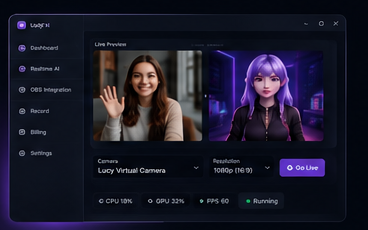
Apply stunning AI effects, filters and transformations in real time.
Seamlessly connect with OBS Studio for professional streaming.
Use lifelike AI avatars or create your own unique identity.
GPU-accelerated processing for smooth, lag-free, high-quality output.
Trusted by Creators Worldwide
Everything you need to create, stream and record like a professional.
Replace your background, apply effects, beautify and transform your videos in real time with AI.
Choose from a library of stunning AI backgrounds or upload your own custom scenes.
Use realistic AI avatars or create custom avatars to represent your brand or personality.
One-click integration with OBS Studio. Use Raven Studio as a virtual camera or source.
Record high-quality videos directly within the app with advanced recording tools.
Monitor CPU, GPU and FPS and optimize your performance for the best experience.
Generate multiple videos or avatars at once. Save time and boost productivity.
Sync your projects, settings and assets across all your devices securely.
Your data is encrypted and never shared. We respect your privacy and security.
Download the official Raven Studio Windows desktop installer. Raven Studio now runs as a native Windows application, so you no longer need Windows, an Windows desktop environment, or an APK.
Explore tutorials, guides and connect with our amazing community.
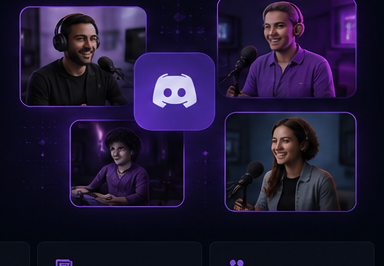
Step-by-step guides to help you get the most out of Raven Studio.
Explore →Find answers to common questions and troubleshooting issues.
Explore →Watch detailed tutorials and learn how to master Raven Studio.
Watch Now →Join our community of creators and share your work.
Join Now →